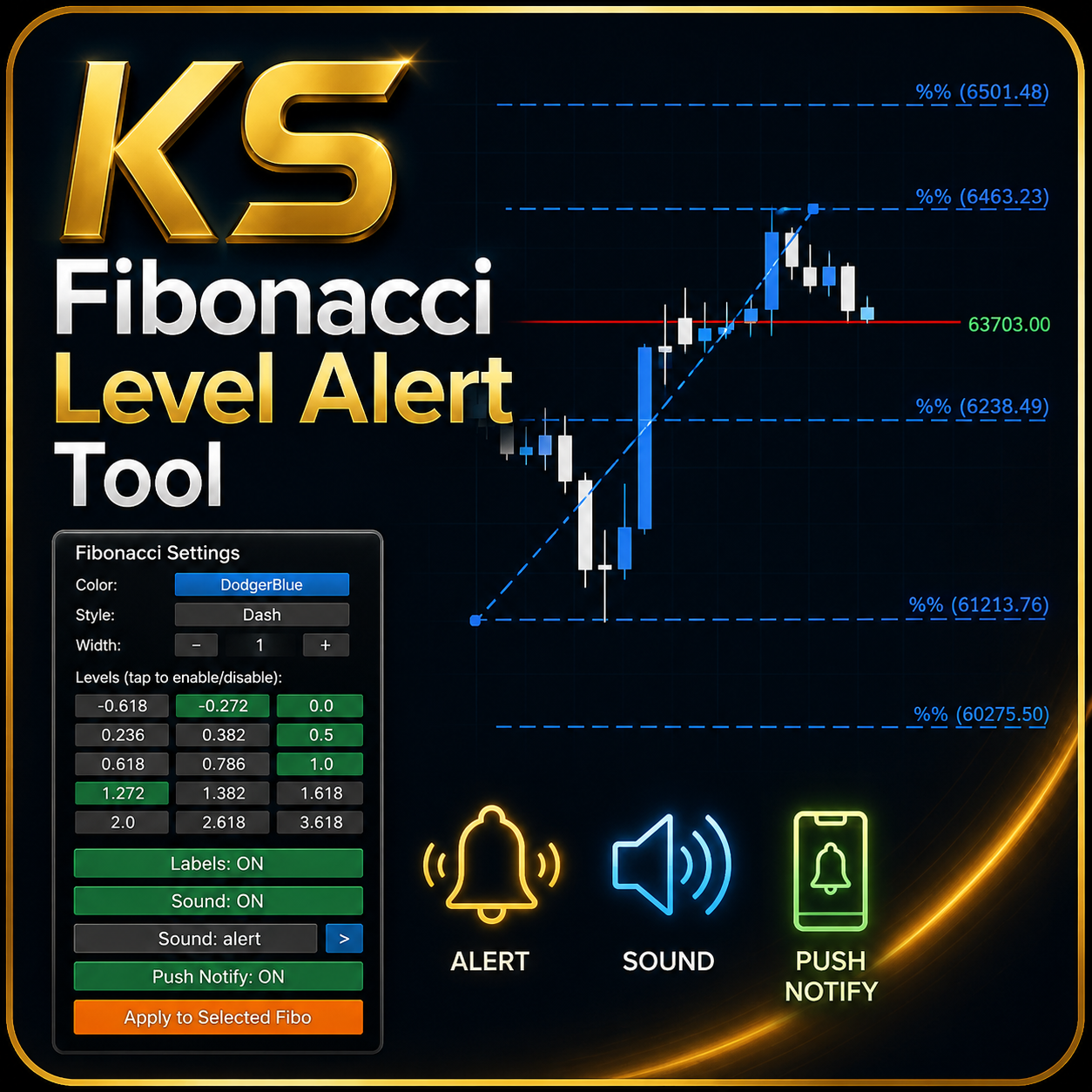
KS Fibonacci Level Alert Tool
by MQL5
- Version 1.4
- Works on MT5
- Freeware — no cost to download
- Direct download link, no installer bundling
Product description
KS Fibonacci Level Alert is a user-friendly custom Fibonacci retracement/extension indicator for MetaTrader 5.
Core Features
1. Click-to-Draw Draggable Fibonacci Tool
Click the "+ New Fibonacci" button to instantly create a new Fibonacci object on the chart.
The tool is fully draggable — drag either anchor point to set your swing high/low.
Supports both retracement (levels between 0–1) and extension (levels >1 or negative) out of the box.
2. On-Chart Settings Panel
Toggle the panel with the "Show/Hide Panel" button.
Customize in real-time:
Color (cycle through preset colors)
Style (Solid, Dash, Dot, etc.)
Width (1 to 5)
Labels (show/hide percentage + price labels on levels)
Sound Alert (built-in MT5 sounds or custom .wav)
Push Notifications (to mobile MT5 app)
Individual Level Toggle — enable/disable any of the 15 Fibonacci levels independently for new tools
3. Smart Alert System
Monitors every active Fibonacci level on all your drawn tools.
Triggers alerts when price touches or crosses an enabled level.
Alert types:
Sound (configurable)
Popup Alert() window
Mobile push notification
Terminal print
After triggering, the level changes color (default gray) so you can visually see which levels have fired.
Dragging a Fibonacci object resets its alerts.
4. Level Management
Pre-defined levels: -0.618, -0.272, 0.0, 0.236, 0.382, 0.5, 0.618, 0.786, 1.0, 1.272, 1.382, 1.618, 2.0, 2.618, 3.618
You can enable/disable any combination via the panel.
5. Utility Buttons
Delete All Fibonacci — clears everything.
Apply to Selected — pushes current panel settings to a selected Fibonacci object.
Delete Selected — removes only the currently selected Fibonacci tool.
How to Use
Attach the indicator to any chart.
Click "+ New Fibonacci" to create a tool.
Drag the anchors to your desired swing.
Open the panel to fine-tune colors, styles, and which levels should alert.
Get notified as soon as price interacts with your key Fibonacci levels.